

User Satisfaction Survey Template You Can Copy

User Satisfaction Survey Template You Can Copy

Last updated on Sep 3, 2026 by Nandini | Reader Disclosure Disclosure: Our content is reader-supported. This means if you click on some of our links, then we may earn a commission. We only recommend products that we believe will add value to our readers.

A survey template earns its keep only if you can copy it straight onto your site without writing a single question from scratch.

Three things have to be on the page for that to work: the exact question wording, the answer format for each question, and the moment you send it. Miss one and you’re writing the survey yourself, which is how sites end up shipping questions nobody can act on.

You get eight finished sets, 75 questions in total, for the people using your site, the clients you invoice, the customers who just bought from you, the guests who just checked out, and the person who opened a support ticket. Every question carries its answer format beside it and a note on when to send it, so nothing is left for you to decide except which set you need. Start with the user satisfaction survey template that gives this page its name, or go straight to whoever you most need to hear from.

Table of Contents

  1. Why Copy a Survey Template Instead of Writing One
  2. Survey Question Formats You’ll See in These Templates
  3. 8 Survey Templates by Audience
  4. How to Turn Any of These Templates Into a Live Survey
  5. FAQs About Survey Templates

Why Copy a Survey Template Instead of Writing One

Writing survey questions is the part that stalls people. It is easy to end up with five questions that all circle the same thing, or one that quietly tells the reader what answer you want. Starting from a finished set skips that, and it means the survey goes out this week rather than whenever you next clear an afternoon.

How long a survey can run depends on the moment it arrives: a survey that interrupts someone mid-task has to be short, because you’re borrowing attention from whatever they came to do. A survey that arrives by email after a project wraps up, an order lands, or a stay ends can be much fuller, because the person opening it has already agreed to give you a minute. The sets below run from eight questions to ten, and each one tells you where it fires and why.

The sets are grouped by who you’re asking. Swap in your own product or category name as you go, and you have something you can build in minutes. Where a list needs your own products or brands, a worked example shows the shape to copy.

One set is the exception to that grouping. Everyone who lands on your site is a visitor before they are a customer, a client, or a guest, so the website feedback set asks about the site itself rather than about the person answering. And if you’d rather browse by survey type than by audience, our roundup of online survey examples covers the same ground from the other direction.

Survey Question Formats You’ll See in These Templates

Every question in every set below has its answer format in square brackets after it, like [Star rating] or [Long answer]. These are the standard survey answer formats, not shorthand invented for this page, so a set you copy here will map onto whatever survey tool you already use.

Seven formats cover all eight sets:

  • Star rating handles every 1 to 5 score. One tap, no typing, and a number you can compare week to week.
  • Radio buttons are for questions with exactly one answer, including any scale worded in words rather than numbers.
  • Checkboxes are for questions where several answers are fair at once.
  • Single text field collects a word or a name.
  • Long answer is for the questions where you want someone to talk.
  • Email capture asks permission to reply, and always sits last.
  • Net Promoter Score is the 1 to 10 recommendation question. It appears in three sets here: website feedback, client satisfaction, and help desk.

There is no “multiple choice” format. Survey tools split that idea into Radio buttons and Checkboxes depending on whether one answer or several make sense. If you want the fuller picture before you start, our guide to the types of survey questions covers what each one is good for, and our breakdown of Likert scale examples and questions is worth a look before you write any scale of your own. Every format named above is available in UserFeedback, the WordPress survey plugin used for the screenshots on this page.

Don’t have a survey builder yet?

Any set on this page can go live on your site with one dropdown pick per question, and there is a step-by-step walkthrough further down if you want to see how one goes from copied text to a live survey.

Get UserFeedback

8 Survey Templates by Audience

The person you are asking changes the questions more than anything else does: a client judges how you work, a guest judges a stay, a support customer judges how much effort the whole thing cost them. Clients get two sets, one for the end of a project and one for the middle of a retainer. Pick the one that matches who you’re asking and ignore the rest.

User Satisfaction Survey Template

This set follows a whole visit from start to finish: it asks what someone came to do, whether they managed it, and how hard the site made it.

It opens with a rating so nobody has to type before they’ve committed. The two open questions come near the end, once the person is already invested, with only the contact field after them.

Here are the nine questions, in the order we’d ask them:

  1. How would you rate your overall experience on our site today? [Star rating]
  2. Which part of the site did you use most today? [Radio buttons] Options: Blog / Pricing / Docs / Support / Somewhere else (swap the first four for your own main sections)
  3. What did you come here to do today? [Radio buttons] Options: Research something / Compare options / Buy something / Get support / Just browsing
  4. Did you manage to do it? [Radio buttons] Options: Yes / Partly / No, I gave up
  5. How easy was it to find what you needed? [Radio buttons] Options: Very easy / Easy / Neither easy nor difficult / Difficult / Very difficult
  6. Which of these would make the biggest difference to you? [Checkboxes] Options: Clearer pricing / More detail on the product / Easier checkout / Answers to my questions up front / Being able to talk to someone
  7. What was the most frustrating part of getting that done? [Long answer]
  8. What were you expecting to find that wasn’t here? [Long answer]
  9. If we follow up on your answer, where should we reach you? [Email capture]

Send: by email to registered users. On-site, show questions 1 to 4 immediately after someone finishes what they came to do, and keep the rest for email. Nine questions is more than a widget should ask of a visitor who is still mid-task.

Question 4 is what makes the rating readable. A four-star score from someone who gave up halfway is a completely different problem from a four-star score from someone who finished. Without question 4, those two people look identical in your results.

The ease question matters for a different reason. It catches visitors who finished what they came for but found it harder than it should have been, a group that tends to leave without complaining.
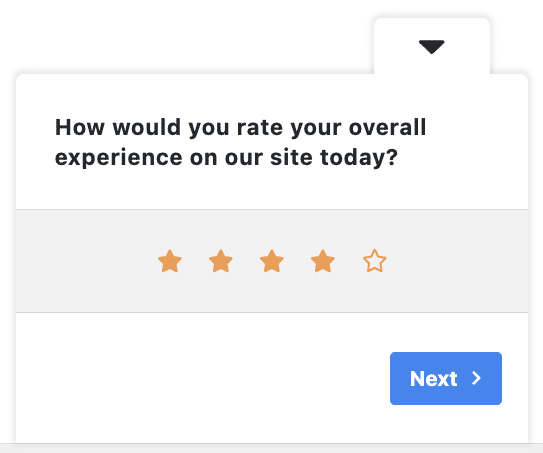
User satisfaction survey template in UserFeedback, showing the overall experience star rating question

If you only ever run one set from this page, this is the one. It tells you whether your site works, which is the question sitting underneath most of the others. For a longer bank to draw extra questions from, our list of the best user experience survey questions goes deeper on the same ground.

Website Feedback Survey Template

This website survey template works at the level of a single page: it asks what someone makes of the thing in front of them, which means the layout, the navigation, how much detail sits on the page, and whether it feels like somewhere to hand over a card number.

It is also the set with the strongest claim to running on the site itself, because a visitor has to be looking at the page to answer questions about it. That caps how long the on-site version can be, so it comes in two lengths.

Ten questions, for a site you want judged properly:

  1. How would you rate the look and feel of this website? [Star rating]
  2. How easy is it to find your way around? [Radio buttons] Options: Very easy / Easy / Neither easy nor difficult / Difficult / Very difficult
  3. Which of these best describes the page you’re on? [Radio buttons] Options: Exactly what I needed / Useful but incomplete / Interesting but not what I wanted / Not useful / Confusing
  4. Is there enough detail on our pages? [Radio buttons] Options: Far too much / A bit too much / About right / Not quite enough / Nowhere near enough
  5. How well does the site work on the device you’re using? [Radio buttons] Options: Very well / Well / Neither well nor badly / Badly / Very badly
  6. Does this site feel trustworthy to you? [Radio buttons] Options: Completely / Mostly / Not sure / Not really / Not at all
  7. If you could change one thing about the design, what would it be? [Long answer]
  8. Which of these would improve the site most for you? [Checkboxes] Options: Clearer navigation / Simpler layout / More images or video / Shorter pages / More examples / Better mobile layout
  9. How likely are you to recommend this site to someone looking for what we do? [Net Promoter Score]
  10. If you’d like a reply about anything you’ve raised, where should we send it? [Email capture]

Send: questions 1 to 3 as a widget on the pages you want judged, and the full ten by email to registered users or your list. Keep the three-question version around even if you run the full set by email, because website feedback is the rare case that benefits most from sitting on the page being rated.

Question 6 is worth keeping even when you trim the set, because trust decides whether a visitor buys from you and nothing else here asks about it directly.
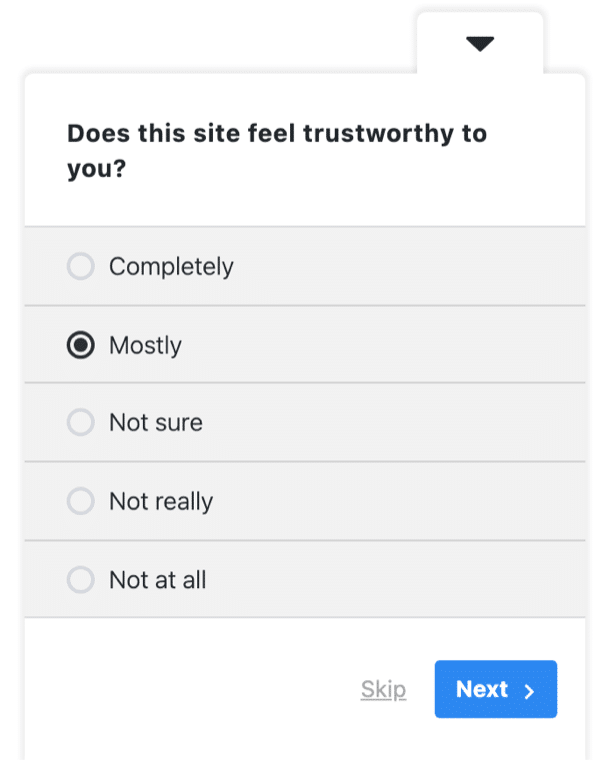
Website feedback survey template in UserFeedback, showing the question asking whether the site feels trustworthy

Question 3 covers your content without turning this into a content survey. If answers cluster on “useful but incomplete” you have a depth problem on particular pages, and our walkthrough of a did you find this page helpful survey measures that page by page.

A site that behaves on a laptop can be unusable on a phone, and the visitors worst affected are the least likely to stop and tell you. That’s what question 5 is listening for.

Question 7 comes after the scored questions on purpose. By the time someone has rated the look, the navigation and the detail, they have worked out what actually bothers them, and the answer arrives specific instead of vague.

The Net Promoter Score question at number 9 asks one thing on a 1 to 10 scale: how likely is this person to recommend you. Collecting the score comes with Plus. The report that turns those scores into Promoters, Passives, and Detractors and tracks them over time is a Pro feature.

For the wider picture on what to do with the answers, our guide to website feedback covers collecting and acting on it beyond a single survey.

Client Feedback Survey Template (End of Project)

This set asks about the working relationship month to month, which is where the friction that eventually loses a client builds up.

This set is written for agencies, freelancers, and service businesses, so it asks about the process rather than the product. It also asks why they hired you.

These ten questions work as a project wrap-up survey, sent by email rather than shown on your site:

  1. How would you rate working with us on this project? [Star rating]
  2. How well did the finished work match what you expected at kickoff? [Radio buttons] Options: Much better than expected / Better / About as expected / Worse / Much worse
  3. How easy were we to work with day to day? [Radio buttons] Options: Very easy / Easy / Neither easy nor difficult / Difficult / Very difficult
  4. How clear was our communication while the work was underway? [Radio buttons] Options: Always clear / Mostly clear / Sometimes confusing / Hard to follow
  5. Which part of the process felt slowest to you? [Radio buttons] Options: Kickoff / Feedback rounds / Approvals / Final handover / Nothing felt slow
  6. What made you choose us instead of the other options you looked at? [Long answer]
  7. What one thing would have made this project go better? [Long answer]
  8. What could we add to what we do that you’d genuinely pay for? [Long answer]
  9. How likely are you to refer us to someone else? [Radio buttons] Options: I already have / Very likely / Possibly / Unlikely / No
  10. Where should we send our follow-up questions? [Email capture]

Send: by email within two working days of the final handover, while the detail is still fresh. A wrap-up survey is the easiest kind to run long, because the client has just finished working with you and has something to say.

Question 8 asks what a client would pay for that you don’t currently sell. The answers name services they are buying somewhere else, which is worth more than the rating in question 1. If you want more to choose from, our guide to customer survey questions has a wider bank you can borrow from.

Answers to question 2 stop you misreading everything else. Expectations set at kickoff shape how the finished work lands, which is why questions 2 and 5 ask about the process and the outcome separately.
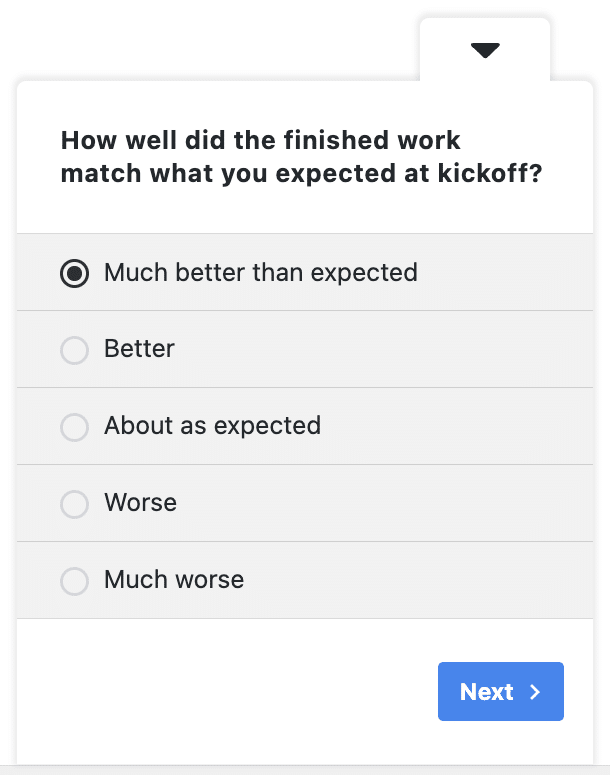
Client feedback survey template in UserFeedback, showing the question about how the finished work matched expectations

Client Satisfaction Survey Template (Monthly)

The set above is for the end of a project. This shorter one is for the middle of a relationship, when you want a number you can watch rather than a story.

It leads with the same Net Promoter Score question the website set uses, because a recommendation score you collect every month becomes a trend you can watch. The score itself collects on Plus; the report that tracks Promoters and Detractors over time is Pro. If you’d rather work the number out by hand first, here’s how to calculate an NPS score.

Here’s a sample client satisfaction survey, eight questions long. It still takes a client under two minutes:

  1. How likely are you to recommend us to another business like yours? [Net Promoter Score]
  2. How satisfied are you with the results we’ve delivered so far? [Star rating]
  3. What’s the main reason for that answer? [Long answer]
  4. How easy is it to reach us when you need something? [Radio buttons] Options: Very easy / Easy / Neither easy nor difficult / Difficult / Very difficult
  5. How do you feel about the value you get for what you pay? [Radio buttons] Options: Excellent value / Good value / Fair / Poor value
  6. How confident are you that we’re focused on the right priorities? [Radio buttons] Options: Very confident / Fairly confident / Not sure / Not very confident / Not at all confident
  7. Which of these describes your plans with us for the next year? [Radio buttons] Options: Carry on as we are / Expand the work / Reduce the work / Bring it in-house / Not sure yet
  8. What’s one thing we could do better next month? [Long answer]

Send: by email at the end of a retainer month, so the score lands often enough to become a trend.

Treat question 7 as an early warning. If a client rates you four stars and picks “Bring it in-house”, have that conversation now instead of waiting for the renewal date.

Question 6 asks whether you are working on the right problem, which is separate from whether the work was good. Doubt about direction appears here months before it appears in question 7.

When question 7 does come back bad, questions 4 and 5 usually explain it. Slow replies and a sense of overpaying erode a retainer more than any single piece of work.

Customer Questionnaire Template (With a Short Customer Survey)

A questionnaire and a satisfaction score answer two different questions, and a survey that mixes them answers neither well.

This set is the questionnaire: who your customers are, how they found you, what they nearly did instead, and what they wish you sold. Nothing in it produces a score to average, so you read the answers rather than chart them.

It doubles as a customer survey template at two lengths. Sent by email a couple of weeks after an order, run all ten questions. If you want something on an order confirmation page instead, use questions 1, 5 and 6 on their own, because a page someone reaches at the end of checkout is no place for a ten-question survey.

If what you actually want is a number you can track over time, that’s a different kind of survey with different wording. Our guide to customer satisfaction survey examples and templates covers those scored versions properly, including how to phrase them and what to do with the results.

Here’s the questionnaire, ten questions long:

  1. How did you first hear about us? [Radio buttons] Options: A search engine / Social media / A friend or colleague / An email / An ad / Somewhere else
  2. Who else were you looking at when you found us? [Single text field]
  3. How long were you looking before you decided? [Radio buttons] Options: The same day / A few days / A few weeks / Months
  4. What were you trying to solve when you found us? [Long answer]
  5. How easy was it to work out whether we were right for you? [Radio buttons] Options: Very easy / Easy / Neither easy nor difficult / Difficult / Very difficult
  6. What nearly stopped you from buying? [Long answer]
  7. Which of our products or services do you use most? [Radio buttons] Options: Starter plan / Pro plan / Add-ons / Support retainer / Something else (swap the first four for your own products)
  8. What else do you buy alongside what you get from us? [Checkboxes] Options: Hosting / Design services / Email marketing / Training / Nothing else (swap the first four for whatever sits alongside what you sell)
  9. What would make you buy from us more often? [Long answer]
  10. What’s one thing you wish we sold that we don’t? [Single text field]

Send: by email about two weeks after a first order, once the customer has actually used what they bought.

Question 6 earns its place because a near-miss on the purchase names something specific you can fix, often a single page.

Questions 2 and 5 pay off as a pair. The first tells you who you were actually measured against, and the second tells you how hard you made that comparison. Neither is a satisfaction score, and both change what you put on a page.

Question 1 also shows why the option list has to stay short. A long one is more likely to be skimmed than read.
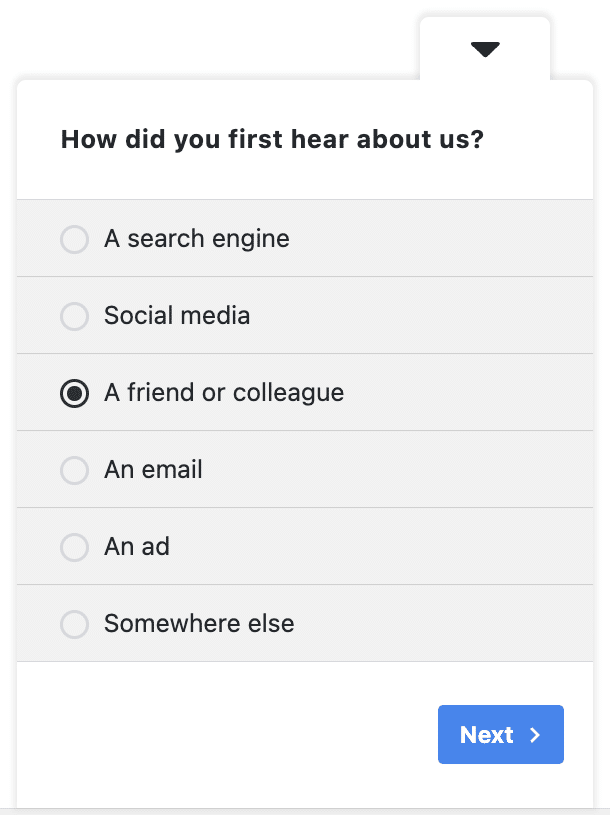
Customer questionnaire template in UserFeedback, showing the question about how the customer first heard about the business

Consumer Survey Questionnaire Template

A consumer survey asks people about a category and their habits inside it, not about you.

That makes it the right survey to run before a launch, or when you’re deciding how to price something, and the people answering don’t need to have bought from you at all.

These nine questions cover buying behavior and brand perception:

  1. When you think of [your category], which brand comes to mind first? [Single text field] Worked example: “When you think of running shoes, which brand comes to mind first?”
  2. Which of these brands have you bought from in the last year? [Checkboxes] Options: Northwind / Contoso / Globex / Acme / None of these (the four example brands are placeholders, and the screenshot below shows them; swap in your own name and the brands you compete with)
  3. How often do you buy something in this category? [Radio buttons] Options: Weekly / Monthly / A few times a year / Once a year or less / Never
  4. What matters most to you when you pick a brand in this category? [Radio buttons] Options: Price / Quality / How it’s made or sourced / Convenience / Reputation
  5. How easy is it to tell these brands apart? [Radio buttons] Options: Very easy / Easy / Neither easy nor difficult / Difficult / Very difficult
  6. Where do you look before you buy something like this? [Checkboxes] Options: Search engines / Review sites / Video reviews / Social media / Friends and family / In a store
  7. What would you expect to pay for something like this? [Radio buttons] Options: Under $25 / $25 to $49 / $50 to $100 / Over $100 (move the bands so they bracket your own price)
  8. What would make you switch from the brand you use now? [Long answer]
  9. What do you wish someone in this category would offer that nobody does? [Long answer]

Send: by email to your list. At nine questions it is too long for a widget on a category page, where people are still browsing. If you do want it on-site, run questions 3, 4 and 7 there and keep the rest for email.

Question 1 is a free brand-awareness study. If your own name almost never comes up on your own site, the problem is how people see you, and no amount of improving the product will fix it.

Comparing question 1 against question 2 shows the gap between the brand people recall and the brands they actually buy.

Question 3 exists so you can weight the rest. An answer from someone who buys weekly should not count the same as an answer from someone who buys once a year, and without it you cannot tell them apart. A survey is only one input here, so it is worth pairing with qualitative research if you’re sizing a launch.
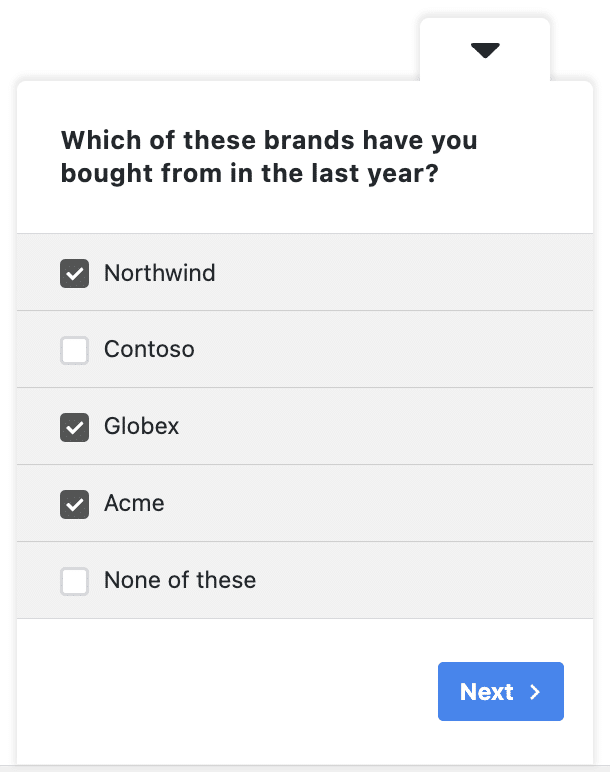
Consumer survey questionnaire template in UserFeedback, showing a checkbox question about brands bought from in the last year

Guest Satisfaction Survey Template

Hospitality feedback has a short shelf life. A guest who was annoyed about the check-in queue will have forgotten the detail by the time your email arrives a week later, and all you’ll get back is a number.

This set is written for hotels, rentals, venues, restaurants, and anywhere else a visit is the product. At ten questions it is built for the morning-after email rather than the checkout desk, while the guest has time and the stay is still fresh.

Here’s the sample, ten questions for the end of a stay or a visit:

  1. How would you rate your stay with us overall? (for a restaurant or venue, swap “stay” for “visit”) [Star rating]
  2. How would you rate the cleanliness of the room or space? [Star rating]
  3. How easy was checking in and out? (where there is no front desk, ask “How easy was booking and arrival?”) [Radio buttons] Options: Very easy / Easy / Neither easy nor difficult / Difficult / Very difficult
  4. Which part of your visit stood out for the right reasons? [Radio buttons] Options: Check-in / The room / Food and drink / The staff / The location / Something else
  5. Was there anything about the room or the space that let you down? [Long answer]
  6. If you ate with us, what would you add to or take off the menu? [Long answer]
  7. How did you feel about the value for what you paid? [Radio buttons] Options: Excellent value / Good value / Fair / Poor value
  8. How likely are you to book with us again? [Radio buttons] Options: Definitely / Probably / Not sure / Probably not / Definitely not
  9. What one thing would have made your stay better? [Long answer]
  10. If you’d like a reply about anything you’ve raised, where should we send it? [Email capture]

Send: by email the morning after checkout, which is where a set this length belongs.

Question 5 is worded as a let-down rather than a complaint on purpose. People who won’t say “I have a complaint” will happily say what disappointed them, and it’s the same information.

Question 2 asks about cleanliness on its own. A guest who found the room unclean will not be reassured by anything else in the stay.

Question 7 asks about value, which is a different judgment from quality and the one that decides whether a guest books again.

Question 6 is worth keeping even if food is a small part of what you do. Menu answers arrive as specific suggestions rather than scores, and they are the easiest thing on this list to act on next week. Guests are a hard audience to get replies from, so it’s worth reading up on how to increase your survey response rate before you send it.
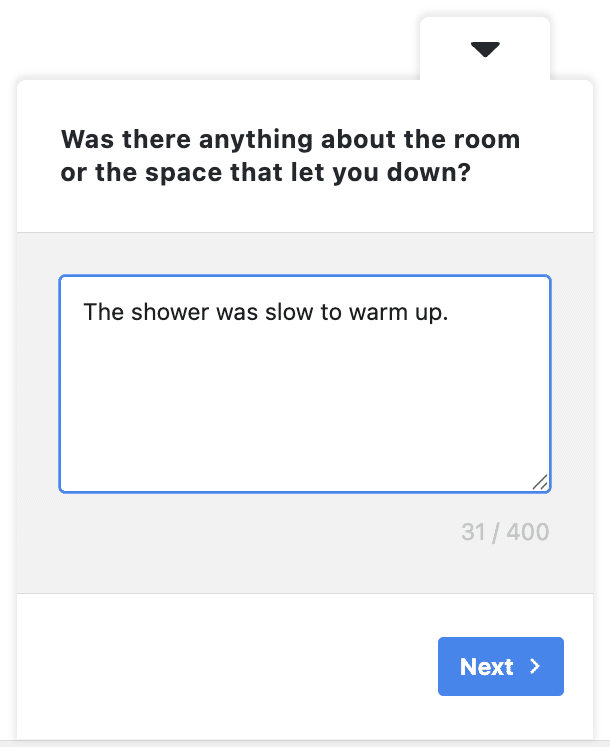
Guest satisfaction survey template in UserFeedback, showing an open text question about anything that let the guest down

Help Desk and Support Survey Template

This set measures what the whole thing cost the customer, alongside how the agent handled it.

Questions 3 and 4 cover the cost side: how long the resolution took from the customer’s side, and how many times they had to re-explain.

The set is ordered so resolution comes first, since effort and agent performance only matter once you know whether the issue was actually fixed.

Nine questions, sent once per resolved ticket:

  1. Did we fix what you contacted us about? [Radio buttons] Options: Yes, completely / Partly / No / I’m still waiting
  2. How did you contact us? [Radio buttons] Options: Email / Live chat / Phone / A form on the site / Social media
  3. How long did it take to get this resolved, from your side? [Radio buttons] Options: Under an hour / The same day / Two or three days / About a week / Longer than a week
  4. Did you have to explain your problem more than once? [Radio buttons] Options: No / Twice / Three or more times
  5. How much effort did this take on your side? [Radio buttons] Options: Almost none / A little / A fair amount / Far too much
  6. How would you rate the person who helped you? [Star rating]
  7. How satisfied are you with the way this was handled overall? [Star rating]
  8. How likely are you to recommend our support to someone else? [Net Promoter Score]
  9. What would have made this faster for you? [Long answer]

Send: by email immediately after the ticket is marked resolved, not in a monthly batch. A resolved ticket is the one moment a customer will happily answer nine questions, because you have just finished helping them.

The pattern to watch for is question 6 scoring well while question 5 scores badly. That combination means your team is good and your process is broken.

Question 4 usually tells you why. Repeating the same explanation is what makes a support experience feel expensive, and the fix is in the handover between agents.

Your ticket system already times itself, but question 3 asks for the customer’s sense of how long it took, which is what reaches a review even when the ticket log says otherwise.

Question 2 keeps the rest honest. Effort and waiting time mean very different things on live chat and on email, and without it you are averaging two unrelated experiences.

Question 5 is a Customer Effort Score question in everything but name, and it is worth running as its own tracked metric once this set is live. We have a walkthrough for building a CES survey in WordPress, and a wider bank of customer service survey questions if you want to extend the set.
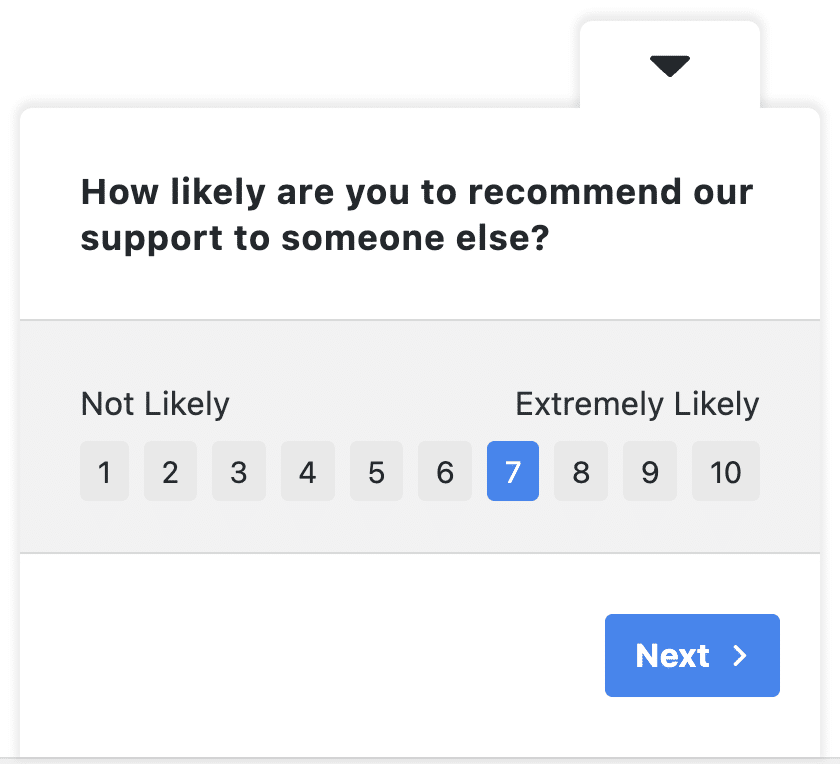
Help desk survey template in UserFeedback, showing a Net Promoter Score question about recommending support

How to Turn Any of These Templates Into a Live Survey

If you don’t already have a survey tool, the good news is that UserFeedback can build every set on this page. The whole build happens inside your WordPress admin: there’s no separate survey platform to sign up for and nothing for a developer to wire up.

The bracketed labels map straight onto the Question Type dropdown, so copying a set is mostly a matter of picking the right format for each line.

All Question Types come with Plus, along with the library of 20+ premium templates. If you’d rather edit something than start with a blank survey, Website Feedback is the template we’d open first.

In your WordPress admin sidebar, open UserFeedback, then click Create New above your survey list.

From there you can choose Start from Scratch, or load a template from the library and change it. Either way you land in the same editor, where you click into the question text to replace it with the wording you copied from this page.

Use Add Question for every question after the first, and pick its format from the Question Type dropdown. That dropdown is where the bracketed labels in this article come from, so a set you copied here maps onto it one for one. If you’d rather follow a screenshot for every screen, our step-by-step guide to creating a survey in WordPress walks through the whole build.
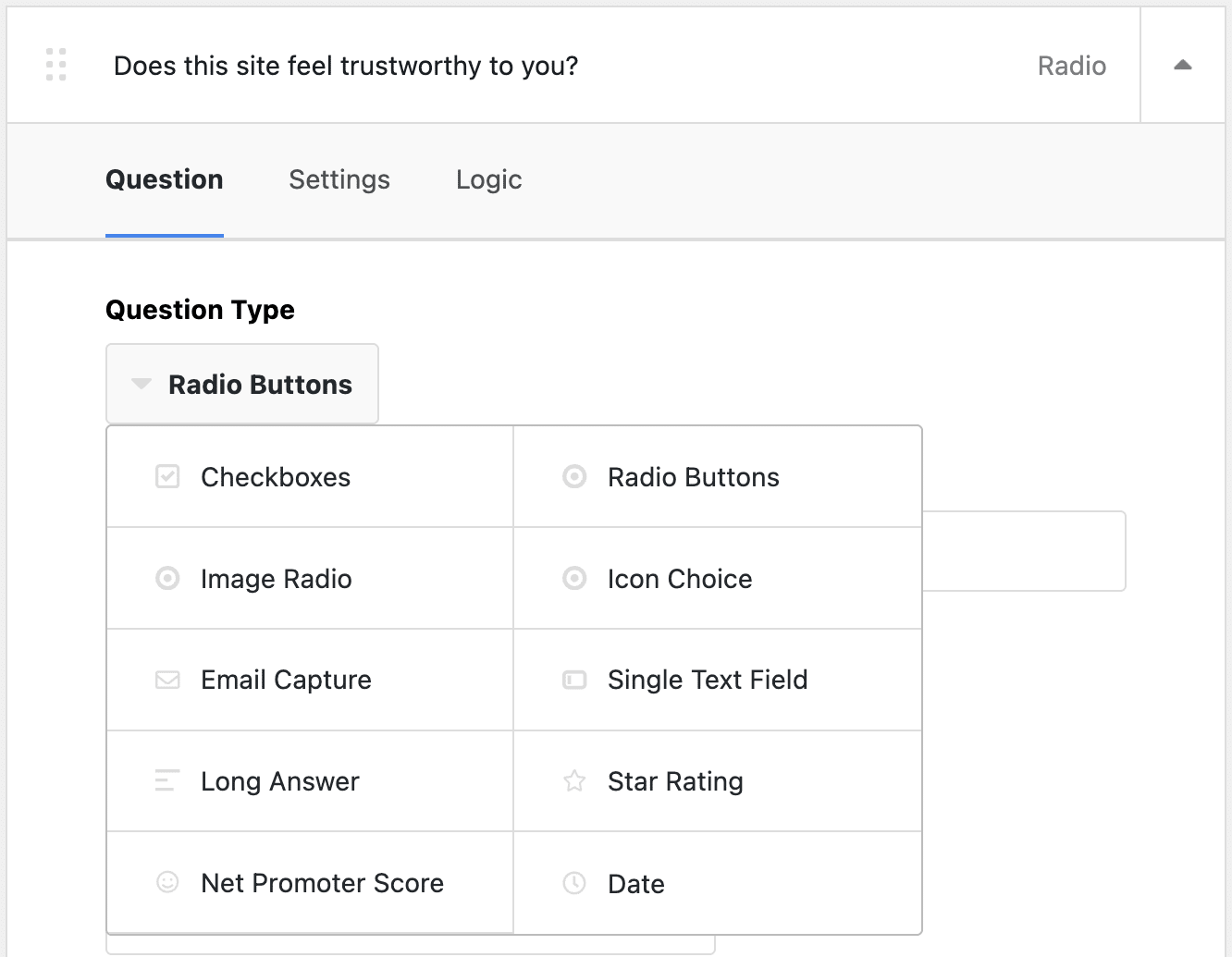
The Question Type dropdown in the UserFeedback survey builder, with Radio Buttons selected

Once the questions are in, the rest of the build is settings.

Thank You Message decides what a respondent sees after they submit, either a short message or a redirect. Settings holds Targeting and Behavior, Notifications emails you each response as it arrives, and Survey Summary is where you publish or schedule the survey.

Surveys display on all pages by default, at the bottom right of the browser, and on every device: desktop, tablet and mobile are all switched on until you say otherwise. Narrowing that to particular devices is what Device Targeting adds on Pro.

The alternative to the widget is a shortcode, which embeds the survey inside a page like any other content. That suits the customer questionnaire and the consumer set better than a pop-up does. Every survey gets its own shortcode: go to UserFeedback » Surveys, click the shortcode to copy it, then paste it where the questions belong. A pasted shortcode also overrides the widget position settings, so the survey sits exactly where you put it rather than in the corner.
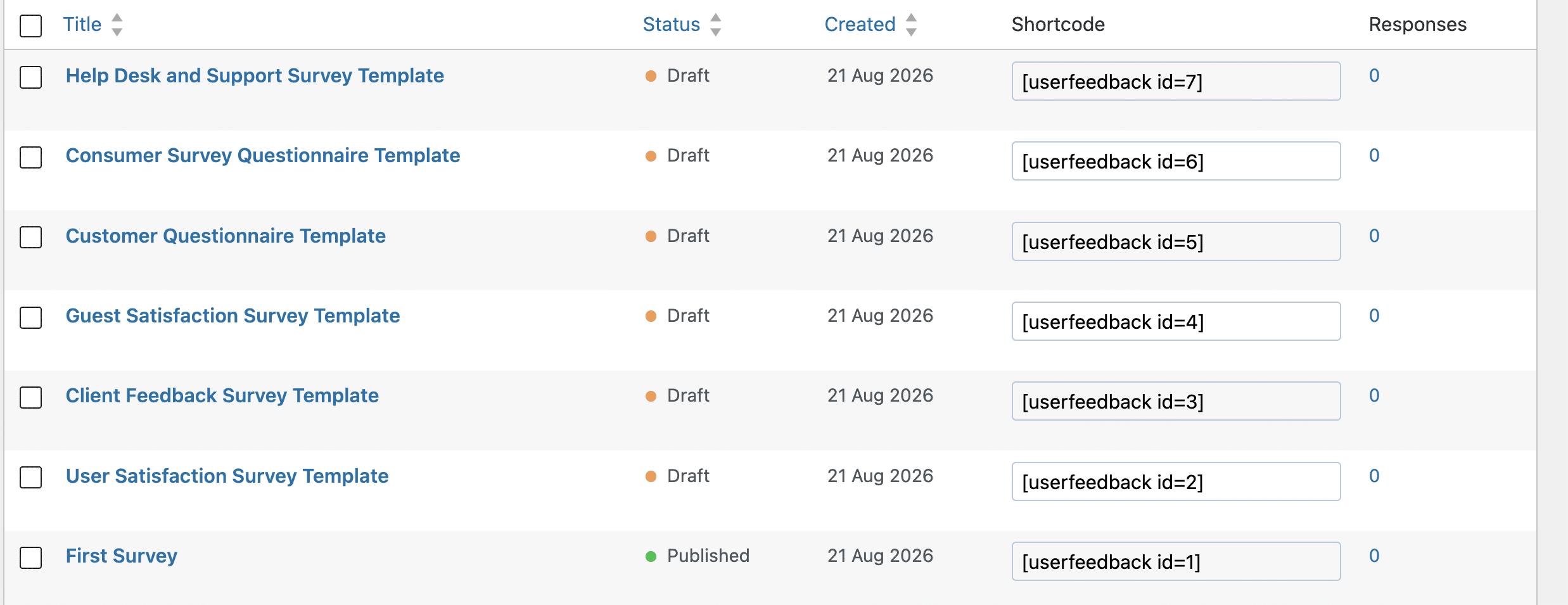
Copying a survey shortcode from the Surveys list in UserFeedback

Once it’s pasted, the survey behaves like part of the page, which tends to get better completion on long pages than a floating widget.

Where a survey appears is a separate decision from what it asks. Page-Level Targeting is part of Plus, so a short on-site survey can run only on the pages it belongs to, rather than following visitors around the whole site.

The three-and-four question versions in the notes above are the ones to put on a page; the full sets belong in an inbox, where nobody is being interrupted.

Getting a set into an inbox works two ways. For the full eight-to-ten question sets, paste the survey’s shortcode onto a page you keep out of your navigation, then link that page from the email you send with whatever tool you already use. For a single question, the Email Surveys addon puts it inside the email itself, so subscribers answer in one click without leaving their inbox and the responses still land in your dashboard.

Device Targeting, Geo Restrictions, and Schedule Surveys are Pro features, as is the NPS report. The 1 to 10 question itself comes with Plus. Scheduling is the one to check first if you’re running the guest set around a seasonal booking window.

UserFeedback is built for surveys and feedback, not for contact or lead-capture forms. The Email capture question exists so you can follow up on an answer, not so you can run your sign-up flow through a survey.

So the build comes down to one dropdown pick per question and one decision about where the survey shows.

That’s the case for copying a finished set instead of opening a blank survey: the wording was the slow part, and skipping it means answers start arriving this week rather than whenever you next clear an afternoon.

Ready to put one of these live?

The walkthrough covers the whole build in UserFeedback, with a screenshot for every screen. Each question needs one answer format chosen from a dropdown, plus one decision about where the survey appears.

See the step-by-step build

FAQs About Survey Templates

What makes a survey template worth using?

A usable template gives you the exact question wording, the answer format for each question, and a point in time to send it. If it only gives you topics to cover, you’re still writing the survey yourself. Every set on this page clears that bar.

How many questions should a survey have?

It depends where it fires, not on a single rule. Keep it to three or four questions when it interrupts someone mid-task on your site, because you’re borrowing attention from whatever they came to do and a visitor who didn’t ask to be surveyed will close anything that looks like work. Eight to ten is fine when the survey arrives by email after a project, an order, a stay, or a support ticket, where the person opening it has already decided to give you a minute. The sets on this page are sized to their trigger, and each one says where it belongs and why.

What’s the difference between a user satisfaction survey template and a website feedback survey?

A user satisfaction survey template asks how the visit went for the person: what they came to do, whether they managed it, and how hard it was. A website feedback survey asks what they make of the site itself: the design, the navigation, whether it feels trustworthy. Run the first when you want to fix journeys, and the second when you want to fix pages. The customer questionnaire is different again, asking about the person and the relationship rather than any single visit.

Which UserFeedback plan do I need to build these templates?

Every set on this page builds on Plus, which includes All Question Types, the 20+ premium templates, and Page-Level Targeting. The one Pro dependency is the NPS report: the 1 to 10 question itself works on Plus, but the report that turns answers into Promoters, Passives, and Detractors over time is Pro. Device Targeting, Geo Restrictions, and Schedule Surveys are Pro as well.

When is the best time to send a survey?

As close as possible to the thing you’re asking about. A support survey belongs on the ticket being resolved, a guest survey in the morning-after email, and a product questionnaire a week or two after delivery. Send it while the experience is fresh, because a month later you are collecting a recollection and recollections drift.

That’s it! I hope this article helped you find a survey template you can copy straight into your site. If you liked this article, check out the following resources:

And remember to follow us on X and Facebook to learn more about online surveys, questions, and customer feedback.

Get Free UserFeedback Tips & Tricks

Add A Comment

We're glad you have chosen to leave a comment. Please keep in mind that all comments are moderated according to our privacy policy, and all links are nofollow. Do NOT use keywords in the name field. Let's have a personal and meaningful conversation.

Terms of Service

These Terms of Service (the "Agreement") set forth the terms and conditions that apply to your access and use of the internet website owned and operated by MonsterInsights, LLC ("UserFeedback") and located at userfeedback.com and *.userfeedback.com (the "Site") including all subsidiary webpages and access to any optimized version of the Site via a wireless device, and access and use of the services available thereon, including, without limitation, the services that enable you to create, test and host promotion-specific custom landing pages for online marketing purposes (the "Services"). This Agreement is legally binding between you, the person using this Site, and UserFeedback. Terms such as “we,” “our” and “us” refer to UserFeedback.

YOU ACCEPT AND AGREE TO THIS AGREEMENT AND CONSENT TO USERFEEDBACK’S PRIVACY POLICY LOCATED AT https://www.userfeedback.com/privacy-policy/ (THE "PRIVACY POLICY"), BY DOING ANY ONE OF THE FOLLOWING ITEMS: (1) VISITING THIS SITE; (2) MAKING A PURCHASE OR SUBMITTING CONTENT THROUGH THE SITE; (3) COMPLETING THE ONLINE APPLICATION PROCESS BY CLICKING A BOX INDICATING YOUR ACCEPTANCE; OR (4) BY EXECUTING A SUBSCRIPTION THAT REFERENCES THIS AGREEMENT; (5) BY USING USERFEEDBACK OAUTH SIGNUP FLOW INSIDE THE WORDPRESS PLUGIN. If you are entering into this Agreement on behalf of a company or other legal entity, you represent that you have the authority to bind such entity to these terms and conditions, in which case the terms "you" or "your" shall refer to such entity. If you do not have such authority, or if you do not agree with these terms and conditions, you must not accept this Agreement and may not use the services.

On our Site, we may provide short summaries of the terms and conditions in this Agreement. Any such summaries are provided only for your convenience, are not legally binding and do not modify this Agreement in any way.

UserFeedback may update or modify this Agreement or the Privacy Policy at any time and such updated versions will be posted on the Site. You are responsible for periodically checking the Agreement and Privacy Policy. Your continued use of the Site and/or the Services after this Agreement and/or Privacy Policy are updated shall be deemed acceptance of any such updated Agreement and/or Privacy Policy.

Ability to Enter into this Agreement
Your Profile Information and Account
Fees
Intellectual Property Rights
Confidential Information
Plugin License
Disclaimer of Warranties
Web Content Accessibility Guidelines Compliance Disclaimer (“WCAG Disclaimer”)
Support
License Holders
Inactive License
Limitation of Liability / Exclusion of Consequential and Related Damages
Indemnity
Automatic Renewal
Cancellation and Termination
Refund Policy
Discount Policy
Agreement to Governing Law and Jurisdiction
Severability
Legal Remedies
Surviving Provisions
Manner of Giving Notice
Miscellaneous

Ability to Enter into this Agreement

This Site and the Services are not designed for or directed at children 13 years of age or younger. In addition, in order to enter into this Agreement, you must be 18 years old or have otherwise reached the legal age of majority in your jurisdiction of residence or possess legal parental or guardian consent, and are fully able and competent to enter into the terms, conditions, obligations, affirmations, representations and warranties set forth in this Agreement, and to abide by and comply with this Agreement. It is your responsibility to ensure that you are legally eligible to enter into this Agreement under any laws applicable to you in your jurisdiction of residence or otherwise. If you accept this Agreement, you represent that you have the capacity to be bound by it.

You may not use the Services and may not accept this Agreement if (a) you are not of legal age to form a binding contract with UserFeedback, or (b) you are a person barred from receiving the Services under the laws of the United States or other countries including the country in which you are a resident or from which you use the Services.

Before you continue, you should print or save a local copy of this Agreement for your records.

Your Profile Information and Account

In order to access certain Services, you may be required to provide information about yourself (such as API, identification or contact details) as part of the registration process for the Service or as part of your continued use of the Services. You may also have to create passwords or other forms of authentication. You agree to provide true, accurate, current and complete information about yourself, and you may not misrepresent your profile information. You agree and understand that you are responsible for maintaining the confidentiality of any such information or passwords. Accordingly, you agree that you will be solely responsible to UserFeedback for all activities that occur under your account. If you become aware of any unauthorized use of your password or of your account, you agree to notify UserFeedback immediately.

Your right to access and use the Services is personal to you and is not transferable by you to any other person or entity. You agree not to disclose your password to any third party. You are solely responsible for all activities that occur under your Account or under your Profile Information. If you become aware of any unauthorized use of your Account or Profile Information, you are responsible for notifying UserFeedback immediately.

By providing us with your e-mail address, you agree to receive all required notices electronically to that e-mail address. It is your responsibility to update or change that e-mail address, as appropriate.

By providing us with your phone number, you agree to allow UserFeedback to contact you via that telephone number regarding all billing notices and/or inquiries (including, but not limited to: payment issues, billing discrepancies, declined/failed payments and/or expired payment methods). It is your responsibility to update or change that phone number, as appropriate.

Fees
You shall pay all fees specified in any subscription to Services or use of the Site (“Subscription”). We will charge you a periodic fee based on the Subscription you choose. Such fees shall be billed in advance for each period and are non-refundable except as specifically mentioned in these Terms of Service. Except for refunds provided for cancellation of Subscriptions within the first fourteen (14) days (as described in the section below entitled Cancellation and Termination and in the UserFeedback Refund Policy), there will be no refunds or credits for partial months of service or for periods in which your Subscription remains active but you do not use the Services

We reserve the right to modify our billing rates at any time upon thirty (30) days written notice by posting such fee changes to the Services or on the Site.

At our discretion, we may offer free or discounted pricing for use of the Services (a “Trial Program”). Once the terms of any Trial Program have expired, you agree that our normal billing rates shall apply. You agree to comply with any additional terms, restrictions or limitations (including limitations on the total amount of usage) we impose in connection with any Trial Program. You may not sign-up for multiple Accounts in order to receive additional benefits under any Trial Programs.

You agree to pay all charges incurred by users of your credit card, debit card, or other payment method used in connection with your Subscription at the prices in effect when such charges are incurred. You will pay any applicable taxes, if any, relating to any such purchases, transactions or other monetary transaction interactions.

All prices listed, fees, charges and refunds are issued in USD. We make no guarantees as to the exchange rate between any currencies, or that the exchange rate will remain unchanged during any period of time. The cost of Services may increase or decrease over a given period of time depending on the currency you choose to pay with and the specific exchange rate at that time. Refunds are likewise issued in USD and are subject to exchange rate volatility. There will be no additional refunds or credits issued in consideration of current or eventual exchange rates. You are responsible for any currency exchange taxes, fees, or other costs that may incur by making a purchase of our Services.

Intellectual Property Rights

All right, title, interest and ownership and intellectual property rights in and to the Site, UserFeedback trademarks and the templates provided via the Site, including but not limited to its "look and feel" (e.g., text, graphics, images, logos, buttons, icons and the placement and layout thereof), images, video, audio, data, content, software (including html-based computer programs) and other media, material or information, other than your Content, are and will remain the property of UserFeedback or its software or content suppliers. Any templates or derivatives of templates provided that you may build using the Site belong to UserFeedback. The Site is protected under Canada, United States and international copyright, trademark and other laws and treaties.

Subject to the terms and conditions of this Agreement, UserFeedback grants to you, during the term of this Agreement, a non-transferable, non-sublicensable, non-exclusive, revocable, limited-purpose right to access and use the Services that are subject to a valid Subscription.

You acknowledge that any ideas, suggestions, concepts, processes or techniques which you provide to UserFeedback related to the Services, the Site or UserFeedback or its business ("Feedback") shall become UserFeedback's property without any compensation or other consideration payable to you by UserFeedback, and you do so of your own free will and volition. UserFeedback may or may not, in its sole discretion, use or incorporate the Feedback in whatever form or derivative UserFeedback may decide into the Site, its software, services, documentation, business or other products, or any future versions or derivatives of the foregoing. You hereby assign all rights on a worldwide basis in perpetuity to UserFeedback in any Feedback and, as applicable, waive any moral rights.

UserFeedback owns any test results, data information and other output generated by your use of the Site and/or the Services during the term of this Agreement.

The following are registered trademarks, trademarks or service marks of MonsterInsights, LLC or its Affiliates: UserFeedback™. All custom graphics, icons, logos and service names are registered trademarks, trademarks or service marks of MonsterInsights, LLC or its Affiliates. All other trademarks or service marks are property of their respective owners. Nothing in these Terms of Use grants you any right to use any trademark, service mark, logo, and/or the name of MonsterInsights, LLC or its Affiliates.

Confidential Information

You agree to safeguard, keep secret and not to disclose to any third party, any Confidential Information acquired, learned or provided from UserFeedback during the term of this Agreement or following the expiration or termination of this Agreement. "Confidential Information" means any information marked confidential or that ought reasonably to be considered confidential under the circumstances and includes, without limitation, any business plans, customer lists, operation procedures, trade secrets, design formulas and programming code, know-how and processes, computer programs and inventions, discoveries, and improvements of any kinds.

Plugin License

UserFeedback WordPress plugin is licensed under the GNU general public license (http://www.gnu.org/licenses/gpl.html) version 2.0 or later.

Disclaimer of Warranties

YOUR USE OF THE SITE AND ALL CONTENT FORMING PART OF OR RELATED TO THE SITE, INCLUDING ANY CONTENT YOU UPLOAD OR SUBMIT AND ANY THIRD PARTY SOFTWARE AND CONTENT, ARE AT YOUR SOLE RESPONSIBILITY AND RISK. THE SITE IS PROVIDED ON AN "AS IS" AND "AS AVAILABLE" BASIS. USERFEEDBACK EXPRESSLY DISCLAIMS ALL REPRESENTATIONS, WARRANTIES, OR CONDITIONS OF ANY KIND WITH RESPECT TO THE SITE, WHETHER EXPRESS OR IMPLIED, INCLUDING, BUT NOT LIMITED TO, THE IMPLIED WARRANTIES OR CONDITIONS OF MERCHANTABILITY, FITNESS FOR A PARTICULAR PURPOSE, ACCURACY, COMPLETENESS, PERFORMANCE, SYSTEM INTEGRATION, QUIET ENJOYMENT, TITLE, AND NON-INFRINGEMENT.

USERFEEDBACK DISCLAIMS ANY WARRANTY THAT THE SITE OR ANY CONTENT, INCLUDING WITHOUT LIMITATION ANY THIRD PARTY SOFTWARE AND CONTENT, WILL MEET YOUR REQUIREMENTS OR BE UNINTERRUPTED, TIMELY, SECURE, OR ERROR-FREE, THAT DEFECTS WILL BE CORRECTED, OR THAT THE SITE OR THE SERVERS THAT MAKES THE SITE AVAILABLE ARE FREE OF VIRUSES OR OTHER HARMFUL COMPONENTS. YOU AGREE THAT, FROM TIME TO TIME, USERFEEDBACK MAY REMOVE THE SITE FOR INDEFINITE PERIODS OF TIME WITHOUT NOTICE TO YOU. YOUR ACCESS AND USE OF THE SITE MAY BE INTERRUPTED FROM TIME TO TIME FOR ANY OF SEVERAL REASONS, INCLUDING, WITHOUT LIMITATION, THE MALFUNCTION OF EQUIPMENT, PERIODIC UPDATING, MAINTENANCE OR REPAIR OF THE SITE OR OTHER ACTIONS THAT USERFEEDBACK, IN ITS SOLE DISCRETION, MAY ELECT TO TAKE. USERFEEDBACK MAKES NO GUARANTEE REGARDING: (A) THE SECURITY OF ANY INFORMATION PROVIDED BY YOU INCLUDING BUT NOT LIMITED TO YOUR API; OR (B) THE COMPATIBILITY OF YOUR SOFTWARE, HARDWARE OR CONTENT WITH THE SITE.

USERFEEDBACK IS NOT RESPONSIBLE FOR THE ACTS OR OMISSIONS OF, OR FOR THE FAILINGS OF, ANY THIRD-PARTY PROVIDER OF ANY CONTENT, SERVICE, NETWORK, SOFTWARE OR HARDWARE, INCLUDING BUT NOT LIMITED TO, INTERNET SERVICE PROVIDERS, HOSTING SERVICES UTILIZED BY USERFEEDBACK, TELECOMMUNICATIONS PROVIDERS, CONTENT PROVIDED BY OTHER USERS, OR ANY SOFTWARE OR HARDWARE NOT PROVIDED BY USERFEEDBACK.

YOU ARE SOLELY RESPONSIBLE FOR ENSURING THAT YOUR CONTENT IS COMPATIBLE WITH THE SITE. USERFEEDBACK DISCLAIMS ANY LIABILITY OR RESPONSIBILITY FOR ANY UNAUTHORIZED USE OF YOUR CONTENT BY THIRD PARTIES OR OTHER USERS OF THE SITE AND IS NOT RESPONSIBLE FOR PROTECTING YOUR CONTENT.

ANY MATERIAL DOWNLOADED OR OTHERWISE OBTAINED THROUGH THE USE OF THE SITE IS DONE AT YOUR OWN DISCRETION AND RISK AND YOU WILL BE SOLELY RESPONSIBLE FOR ANY DAMAGE TO YOUR COMPUTER SYSTEM OR OTHER DEVICE OR LOSS OF DATA THAT RESULTS FROM THE DOWNLOAD OF ANY SUCH MATERIAL.

NO ADVICE OR INFORMATION, WHETHER ORAL OR WRITTEN, OBTAINED BY YOU FROM USERFEEDBACK OR THROUGH OR FROM THE SITE SHALL CREATE ANY WARRANTY NOT EXPRESSLY STATED IN THIS AGREEMENT.

THE SITE IS OFFERED AND CONTROLLED BY USERFEEDBACK FROM ITS FACILITIES IN THE UNITED STATES. USERFEEDBACK MAKES NO REPRESENTATIONS THAT THE SITE IS APPROPRIATE OR AVAILABLE FOR USE IN OTHER LOCATIONS. THOSE WHO ACCESS OR USE THE SITE FROM OTHER JURISDICTIONS DO SO AT THEIR OWN VOLITION AND ARE RESPONSIBLE FOR COMPLIANCE WITH LOCAL LAW.

Web Content Accessibility Guidelines Compliance Disclaimer ("WCAG Disclaimer")
YOU ACKNOWLEDGE AND AGREE THAT USERFEEDBACK DO NOT WARRANTY, ASSURE AND/OR GUARANTEE THAT ITS SOFTWARE IS OR SHALL EVER BE COMPLIANT WITH THE WEB CONTENT ACCESSIBILITY GUIDELINES PURSUANT TO WCAG 2.0, WCAG 2.1, AND/OR ANY SUCCESSOR LAWS OR GUIDELINES (COLLECTIVELY, “WCAG COMPLIANCE”).

YOU FURTHER ACKNOWLEDGE AND AGREE THAT USERFEEDBACK DOES NOT WARRANTY, ASSURE AND/OR GUARANTEE THAT ITS SOFTWARE, CODING, AND/OR PHP PROGRAMMING LANGUAGE CAN BE MODIFIED TO MEET WCAG COMPLIANCE.

BY USING AND/OR DOWNLOADING USERFEEDBACK YOU EXPRESSLY ACCEPT USERFEEDBACK AS-IS AND AGREE TO BE FULLY RESPONSIBLE AND SOLELY LIABLE TO ENSURE THAT YOUR WEBSITE AND/OR YOUR INTENDED USE OF USERFEEDBACK MEETS WCAG COMPLIANCE AND ANY OTHER ACCESSIBILITY REGULATIONS, AS REQUIRED BY LAW, WHICH MAY CHANGE FROM TIME-TO-TIME. YOU FURTHER AGREE TO TEST USERFEEDBACK AND ALL OF ITS FUNCTIONALITY AND FEATURES ON YOUR WEBSITE LOCALLY PRIOR TO ALLOWING USERFEEDBACK TO BECOME LIVE TO THE PUBLIC IN ORDER TO ENSURE THAT YOU ARE ABLE TO MEET WCAG COMPLIANCE. FURTHER, IT IS YOUR RESPONSIBILITY TO REMAIN INFORMED ON ALL ISSUES AND REQUIREMENTS RELATING TO WCAG COMPLIANCE.

BY CHOOSING TO DOWNLOAD, INSTALL AND/OR OTHERWISE USE USERFEEDBACK ON YOUR WEBSITE, A THIRD-PARTY WEBSITE, AND/OR ANY OTHER ONLINE PLATFORM YOU HEREBY CLAIM THAT ANY SUCH WEBSITE(S) AND/OR ONLINE PLATFORM(S), INCLUDING ALL PAGES AND FEATURES HAVE BEEN TESTED BY YOU AND MEET WCAG COMPLIANCE. IN NO EVENT SHALL USERFEEDBACK (INCLUDING ANY OF ITS AUTHORIZED REPRESENTATIVES, PRINCIPALS, AGENTS, OFFICERS, DIRECTORS, SHAREHOLDERS, MEMBERS, PARTNERS, EMPLOYEES, ASSOCIATES, SUCCESSORS, ASSIGNS, SUBSIDIARIES, LICENSEES AND/OR OWNERS) BE LIABLE TO YOU OR TO ANY THIRD-PARTY CLAIMING THROUGH YOU OR ON YOUR BEHALF FOR ANY FAILURE TO MEET WCAG COMPLIANCE. YOU AGREE TO TAKE ALL RESPONSIBILITY RELATED TO MEETING WCAG COMPLIANCE.

IN THE EVENT THERE ARE ANY CONTRADICTIONS BETWEEN THE TERMS CONTAINED IN THIS WCAG DISCLAIMER AND ANY OTHER TERMS OF SERVICE ON THIS SITE, THEN THE TERMS HEREIN SHALL CONTROL AS TO AN INCONSISTENCIES.

Support

Support for plugins sold and distributed by MonsterInsights, LLC is only available for those who have an active, paid support license.

Support, updates and plugin downloads are granted for one year after the original purchase based on the license that you have purchased. After one year is completed, the purchaser must renew their license in order to continue receiving support, updates, and access to download plugin files for the items purchased.

Support for UserFeedback is provided as long as UserFeedback is actively in development. Should any one of the following occur, MonsterInsights, LLC will no longer be responsible for providing support for UserFeedback:

  1. UserFeedback is no longer actively developed as a viable product under MonsterInsights, LLC.
  2. UserFeedback or the parent company is purchased or bought out by another company.
  3. WordPress is no longer actively developed.

While we attempt to provide the best support possible for our plugins, we do not guarantee that any particular support query can or will be answered to the extent that the inquirer is completely satisfied.

License Holders

Only a license holder is permitted to request support or access support resources. If any attempt is made by another party other than the license holder to access support in a manner not specified, we reserve the right to suspend indefinitely the license key without notice or consent.

Re-posting content from any portion of this site, including support forum and documentation materials, is strictly prohibited. If any attempt is made to re-post content in a manner specified above, we reserve the right to suspend indefinitely the license key without notice or consent.

Sharing or Reselling your license key is not allowed. If we discover a violation of this rule, we reserve the right to immediately suspend the account without notice, indefinitely.

Inactive License
If your license becomes inactive and is otherwise no longer valid, (a) UserFeedback will no longer be obligated to provide you the Services, (b) your account will no longer be accessible by you to download plugin files, install or use addon files, or use licensed features (c) you will immediately stop using Services, and (c) all licenses and other rights granted to you under the Agreement will immediately cease. UserFeedback will not be liable to you or any third party for termination of this Agreement or any termination or suspension of your use of the Services.

YOU ACKNOWLEDGE THAT YOUR CONTENT MAY BE DELETED FROM YOUR ACCOUNT UPON YOUR LICENSE BECOMING INACTIVE. THIS CONTENT CANNOT BE RECOVERED ONCE DELETED. IF YOUR LICENSE IS NOT ACTIVE, USERFEEDBACK WILL NOT STORE CONTENT ON YOUR BEHALF.

Limitation of Liability / Exclusion of Consequential and Related Damages

NEITHER PARTY'S LIABILITY WITH RESPECT TO ANY SINGLE INCIDENT ARISING OUT OF OR RELATED TO THIS AGREEMENT WILL EXCEED THE AMOUNT PAID BY YOU HEREUNDER IN THE 12 MONTHS PRECEDING THE INCIDENT, PROVIDED THAT IN NO EVENT WILL EITHER PARTY’S AGGREGATE LIABILITY ARISING OUT OF OR RELATED TO THIS AGREEMENT EXCEED THE TOTAL AMOUNT PAID BY YOU HEREUNDER. THE ABOVE LIMITATIONS WILL APPLY WHETHER AN ACTION IS IN CONTRACT OR TORT AND REGARDLESS OF THE THEORY OF LIABILITY. HOWEVER, THE ABOVE LIMITATIONS WILL NOT LIMIT YOUR PAYMENT OBLIGATIONS UNDER THE “FEES” SECTION OF THE AGREEMENT.

IN NO EVENT WILL EITHER PARTY HAVE ANY LIABILITY TO THE OTHER PARTY FOR ANY LOST PROFITS, REVENUES OR INDIRECT, SPECIAL, INCIDENTAL, CONSEQUENTIAL, COVER OR PUNITIVE DAMAGES, WHETHER AN ACTION IS IN CONTRACT OR TORT AND REGARDLESS OF THE THEORY OF LIABILITY, EVEN IF A PARTY HAS BEEN ADVISED OF THE POSSIBILITY OF SUCH DAMAGES. THE FOREGOING DISCLAIMER WILL NOT APPLY TO THE EXTENT PROHIBITED BY LAW.

THE FOREGOING LIMITATIONS SHALL ALSO APPLY WITH RESPECT TO ANY DAMAGES INCURRED BY REASON OF ANY CONTENT OR SERVICES PROVIDED ON ANY THIRD PARTY SITES OR OTHERWISE PROVIDED BY ANY THIRD PARTIES OTHER THAN UserFeedback AND RECEIVED BY YOU THROUGH OR ADVERTISED ON THE SITE OR RECEIVED BY YOU ON ANY THIRD PARTY SITES. YOU ALSO AGREE THAT UserFeedback WILL NOT BE RESPONSIBLE OR LIABLE FOR ANY LOSS OR DAMAGE OF ANY KIND INCURRED AS THE RESULT OF ANY INTERACTIONS OR DEALINGS WITH ADVERTISERS OR AS THE RESULT OF THE PRESENCE OF SUCH ADVERTISERS ON THE SITE.

UserFeedback reserves the right to modify, suspend or discontinue the Site and/or Services, or any portion thereof, with or without notice at any time and for any reason, including, but not limited to, a failure to comply with the terms of this Agreement. UserFeedback shall have no liability whatsoever for any damages, liabilities, losses or any other consequences that you may incur as a result of any such modification, suspension or discontinuance.

Indemnity

You agree to indemnify, defend, and hold harmless UserFeedback, and its subsidiaries, affiliates, co-branders, all third-party advertisers, technology providers, service providers or other partners, and each of their respective officers, directors, agents, shareholders, employees and representatives, from and against any third party claim, demand, loss, damage, cost, or liability (including, reasonable attorneys' fees) arising out of or relating to this Agreement or the Site, including but not limited to in relation to: (a) your use, non-use or misuse of, or connection to the Site, the Services and any Content, including without limitation your Content and any third party Content, forming part of the Site; (b) your breach or alleged breach of this Agreement; and (c) your violation of any rights, including intellectual property rights, of a third party. UserFeedback reserves the right, at your expense, to assume the exclusive defense and control of any matter for which you are required to indemnify UserFeedback and you agree to cooperate with UserFeedback's defense of these claims. You agree not to settle any matter without the prior written consent of UserFeedback. UserFeedback will use reasonable efforts to notify you of any such claim, action or proceeding upon becoming aware of it.

Cancellation and Termination

If you wish to cancel your Subscription, you can do so by logging into your account and proceeding with this option through the billing section menu. If you are unable to find this option within the billing section or if you have questions or need assistance, please contact Support and they can assist you with the cancellation process. You will remain liable for all charges accrued on your account up to the time that you downgrade or cancel your Subscription, including full monthly fees for the month in which you cancelled, provided however that if you cancel your Subscription within the first fourteen (14) days of opening your UserFeedback Account, you will receive a refund of your Subscription fee.

Upon cancellation of your Subscription, UserFeedback is under no obligation to maintain or store your account information or Content. UserFeedback may, at its option, either delete your information and Content immediately or retain it (in full or in part) in accordance with UserFeedback’s processes and practices.

UserFeedback reserves the right at any time, and without cost, charge or liability, to terminate this Agreement at its sole discretion for any reason, including, but not limited to, a failure to comply with the terms of this Agreement. In addition, UserFeedback may, in its sole discretion, at any time, temporarily or permanently suspend access to your account, Subscription or Services for any violation or suspected violation of this Agreement. UserFeedback also reserves the right to deny access to anyone, including, but not limited to those users who use proxy servers and/or IP addresses residing in certain geographical areas outside of Canada and the United States. UserFeedback reserves the right to terminate any portion of the Site at any time, for any reason, with or without notice.

Automatic Renewal

Unless you notify MonsterInsights, LLC before the end of the applicable subscription period that you want to cancel your renewal, your subscription will automatically renew and you authorize us to collect the then-applicable annual or monthly subscription for such Renewal using any credit card or other payment medium we have on record for you. A subscription can be cancelled at any time in the My Account and Billing section of your dashboard.

Refund Policy

The UserFeedback no-risk money back guarantee offers that, if at any time within the first 14 days of opening your paid Account you decide that UserFeedback is not for you, then just let our awesome support team know (we make it easy!).

We will stop your Subscription and issue you a refund. Your request for a cancellation must be received within 24 business hours of the 14 days of the date and time of opening your paid Account. While some refunds may be instant, refund credit can take up to 5 - 10 business days to show up in your credit card statement.

If adequate notice is not received and your credit card is subsequently charged, you will not receive a refund.

Free trial accounts and renewals are not eligible for refunds.

Discount Policy

On occasion, UserFeedback may offer purchase incentives in the form of subscription discount codes. Discount codes are applied on an introductory basis, meaning that are only applied for the first term of the subscription selected. Discount codes do not perpetuate with the life of the subscription. After your initial term has passed, subscriptions will be charged the regular price.

Agreement to Governing Law and Jurisdiction

If there is any dispute between you and UserFeedback about or involving this Agreement, the Site or the Services, you hereby agree that the dispute shall be governed by and construed in accordance with the laws of the state of Florida, without regard to its conflict of law provisions. You hereby agree to submit to the exclusive jurisdiction of the courts in West Palm Beach, Palm Beach County, Florida, with respect to any claim, proceeding or action relating to or otherwise arising out of this Agreement, the Site or the Services, howsoever arising, provided always that UserFeedback may seek and obtain injunctive relief in any jurisdiction.

Severability

If any portion of this Agreement is deemed unlawful, void or unenforceable by any arbitrator or court of competent jurisdiction, this Agreement as a whole shall not be deemed unlawful, void or unenforceable, but only that portion of this Agreement that is unlawful, void or unenforceable shall be stricken from this Agreement.

Legal Remedies

You agree that this Agreement is specifically enforceable by injunctive relief and other equitable remedies without proof of monetary damages.

You agree that if UserFeedback does not exercise or enforce any legal right or remedy which is contained in the Agreement (or which UserFeedback has the benefit of under any applicable law), this will not be taken to be a formal waiver of UserFeedback’s rights and that those rights or remedies will still be available to UserFeedback.

Surviving Provisions

The sections of “Submission of Content”, “Intellectual Property Rights”, “Confidential Information”, “Disclaimer of Warranties”, “Third Party Sites and Content”, “Limitation of Liability/Exclusion of Consequential and Related Damages”, “Indemnity” and “Agreement to Governing Law and Jurisdiction”, “Severability”, “Legal Remedies”, and any other provisions that by their nature are intended to survive will survive any actual or purported termination of your account or termination or expiration of this Agreement and shall continue in full force and effect.

Manner of Giving Notice

Except as otherwise specified in this Agreement, all notices, permissions and approvals hereunder shall be in writing and shall be deemed to have been given upon: (i) personal delivery, (ii) the second business day after mailing, (iii) the second business day after sending by confirmed facsimile, or (iv) the first business day after sending by email. Billing-related notices to you shall be addressed to the relevant billing contact designated by you. All other notices to you shall be addressed to the relevant contact designated by you.

Miscellaneous
NPS is a registered trademark, and Net Promoter Score and Net Promoter System are service marks, of Bain & Company, Inc., Satmetrix Systems, Inc. and Fred Reichheld.

For any questions, feel free to reach out at 561-408-1057

Privacy Policy

Your privacy is very important to us. At UserFeedback we have a few fundamental principles that we follow:

Monster Insights LLC (“UserFeedback”) operates several websites including UserFeedback.com. It is UserFeedback’s policy to respect your privacy regarding any information we may collect while operating our websites.

Website Visitors

Like most website operators, UserFeedback collects non-personally-identifying information of the sort that web browsers and servers typically make available, such as the browser type, language preference, referring site, and the date and time of each visitor request. UserFeedback’s purpose in collecting non-personally identifying information is to better understand how UserFeedback’s visitors use its website. From time to time, UserFeedback may release non-personally-identifying information in the aggregate, e.g., by publishing a report on trends in the usage of its website.

UserFeedback also collects potentially personally-identifying information like Internet Protocol (IP) addresses for logged in users and for users leaving comments on our blogs. UserFeedback only discloses logged in user and commenter IP addresses under the same circumstances that it uses and discloses personally-identifying information as described below, except that blog commenter IP addresses are visible and disclosed to the administrators of the blog where the comment was left.

Gathering of Personally-Identifying Information

Certain visitors to UserFeedback’s websites choose to interact with UserFeedback in ways that require UserFeedback to gather personally-identifying information. The amount and type of information that UserFeedback gathers depends on the nature of the interaction. For example, we ask visitors who comment on our blog to provide a username and email address. Those who wish to receive UserFeedback updates via email, we collect their emails. In each case, UserFeedback collects such information only insofar as is necessary or appropriate to fulfill the purpose of the visitor’s interaction with UserFeedback. UserFeedback does not disclose personally-identifying information other than as described below. And visitors can always refuse to supply personally-identifying information, with the caveat that it may prevent them from engaging in certain website-related activities.

Aggregated Statistics

UserFeedback may collect statistics about the behavior of visitors to its websites. For instance, UserFeedback may monitor the most popular pages on the UserFeedback.com site or use spam screened by the Akismet service and/or Google reCAPTCHA to help identify spam. UserFeedback may display this information publicly or provide it to others. However, UserFeedback does not disclose personally-identifying information other than as described below.

Protection of Certain Personally-Identifying Information

UserFeedback discloses potentially personally-identifying and personally-identifying information only to those of its employees, contractors and affiliated organizations that (i) need to know that information in order to process it on UserFeedback’s behalf or to provide services available at UserFeedback’s websites, and (ii) that have agreed not to disclose it to others. Some of those employees, contractors and affiliated organizations may be located outside of your home country; by using UserFeedback’s websites, you consent to the transfer of such information to them. UserFeedback will not rent or sell potentially personally-identifying and personally-identifying information to anyone. Other than to its employees, contractors and affiliated organizations, as described above, UserFeedback discloses potentially personally-identifying and personally-identifying information only in response to a subpoena, court order or other governmental request, or when UserFeedback believes in good faith that disclosure is reasonably necessary to protect the property or rights of UserFeedback, third parties or the public at large. If you are a registered user of an UserFeedback website and have supplied your email address, UserFeedback may occasionally send you an email to tell you about new features, solicit your feedback, or just keep you up to date with what’s going on with UserFeedback and our products. We primarily use our various product blogs to communicate this type of information, so we expect to keep this type of email to a minimum. If you send us a request (for example via a support email or via one of our feedback mechanisms), we reserve the right to publish it in order to help us clarify or respond to your request or to help us support other users. UserFeedback takes all measures reasonably necessary to protect against the unauthorized access, use, alteration or destruction of potentially personally-identifying and personally-identifying information.

Cookies

A cookie is a string of information that a website stores on a visitor’s computer, and that the visitor’s browser provides to the website each time the visitor returns. UserFeedback uses cookies to help UserFeedback identify and track visitors, their usage of UserFeedback website, and their website access preferences. UserFeedback visitors who do not wish to have cookies placed on their computers should set their browsers to refuse cookies before using UserFeedback’s websites, with the drawback that certain features of UserFeedback’s websites may not function properly without the aid of cookies.

Business Transfers

If UserFeedback, or substantially all of its assets were acquired, or in the unlikely event that UserFeedback goes out of business or enters bankruptcy, user information would be one of the assets that is transferred or acquired by a third party. You acknowledge that such transfers may occur, and that any acquirer of UserFeedback may continue to use your personal information as set forth in this policy.

Ads

Ads appearing on any of our websites may be delivered to users by advertising partners, who may set cookies. These cookies allow the ad server to recognize your computer each time they send you an online advertisement to compile information about you or others who use your computer. This information allows ad networks to, among other things, deliver targeted advertisements that they believe will be of most interest to you. This Privacy Policy covers the use of cookies by UserFeedback and does not cover the use of cookies by any advertisers.

Comments

Comments and other content submitted to Akismet anti-spam service and/or Google reCAPTCHA are saved on our servers unless they were marked as false positives, in which case we store them long enough to use them to improve the service to avoid future false positives.

Privacy Policy Changes

Although most changes are likely to be minor, UserFeedback may change its Privacy Policy from time to time, and in UserFeedback’s sole discretion. UserFeedback encourages visitors to frequently check this page for any changes to its Privacy Policy. Your continued use of this site after any change in this Privacy Policy will constitute your acceptance of such change.
